This document outlines the steps to set up AppSamurai on AppsFlyer. Complete the steps below to grant App Samurai Agency access and share your in-app events with AppSamurai.
Grant App Samurai Agency access
-
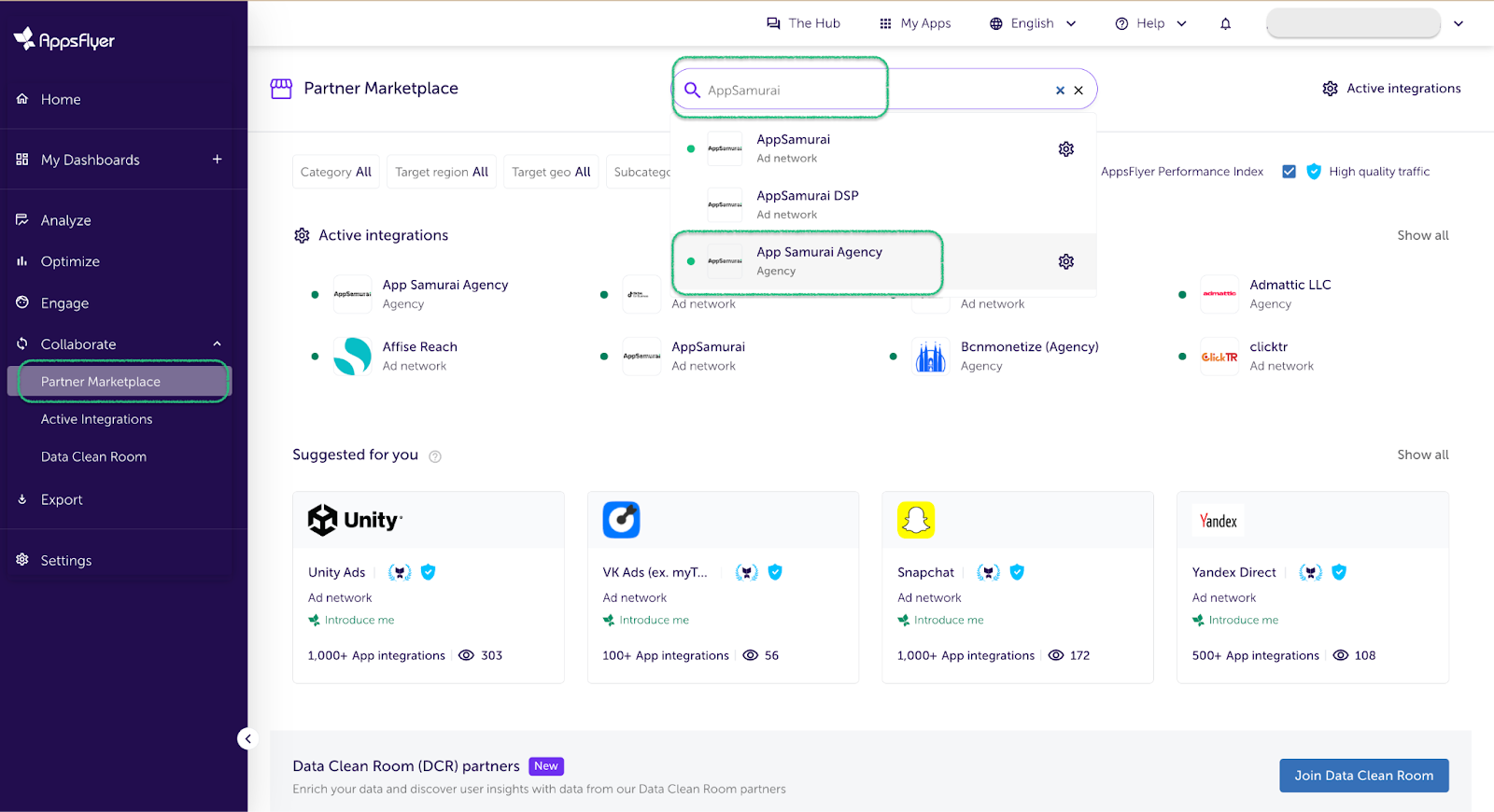
Go to "Partner Marketplace" and search for "App Samurai Agency".
-
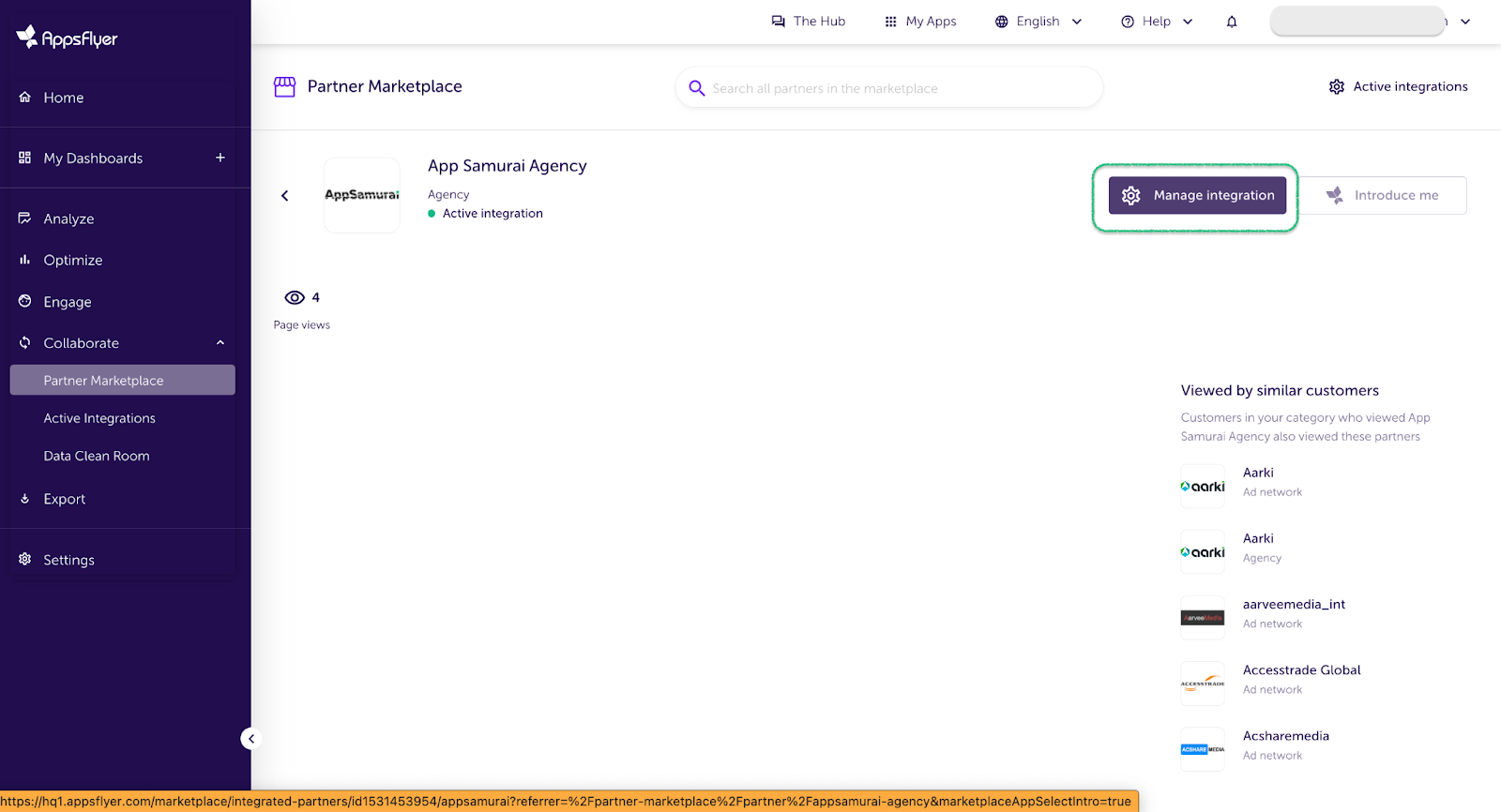
Click "Manage Integrations".
-
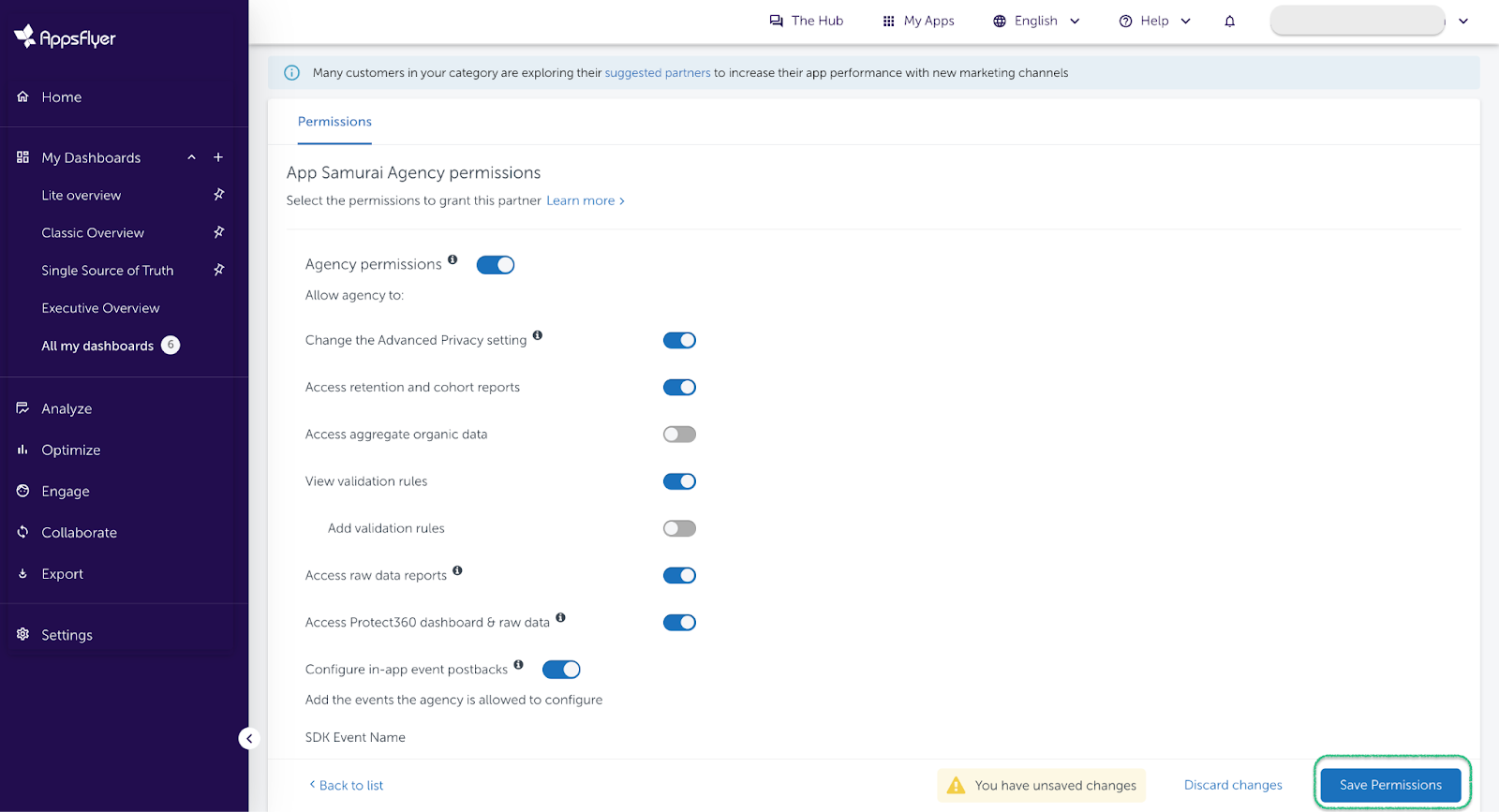
Enable the necessary toggles.
-
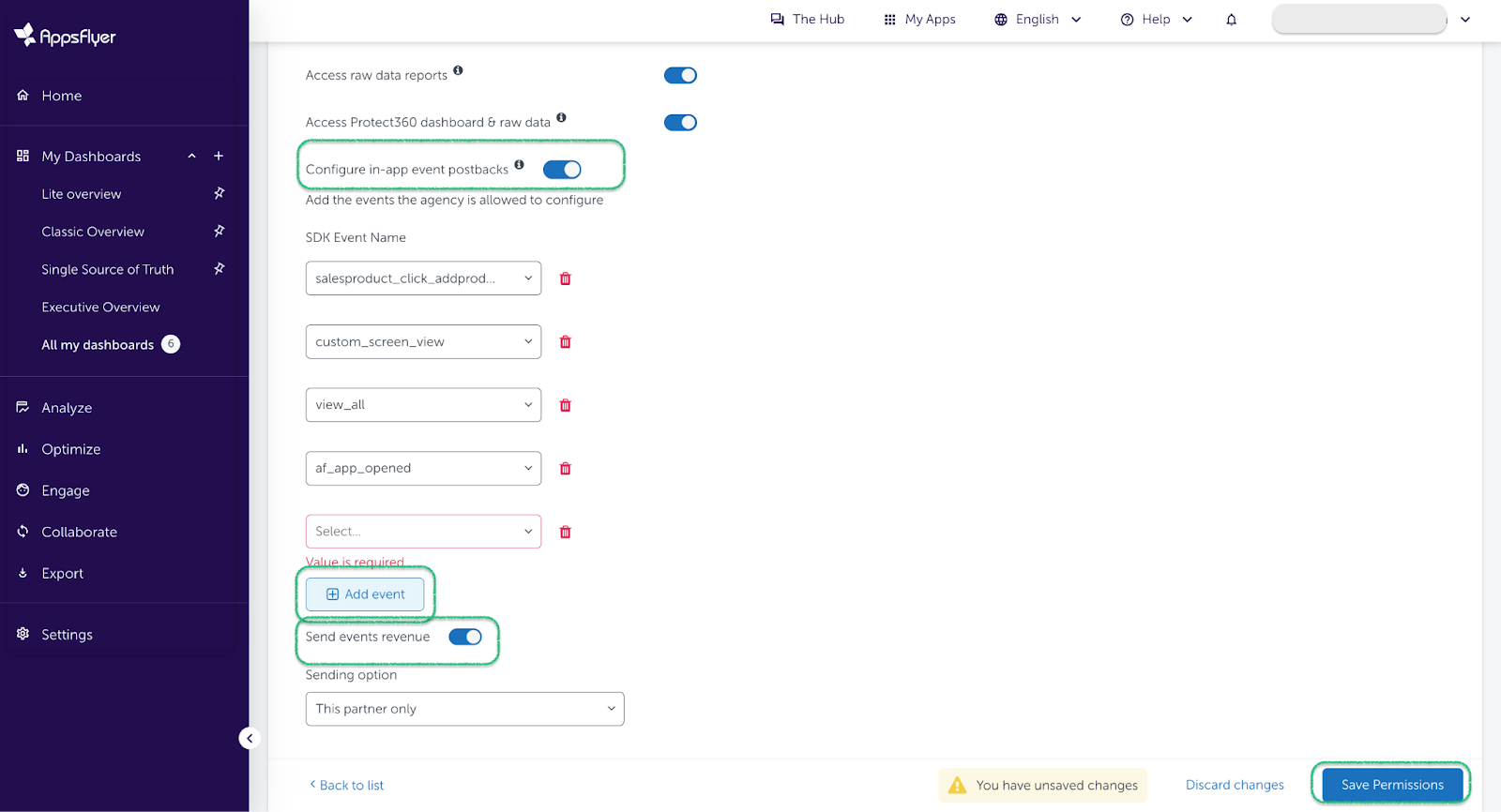
Share the in-app events using "Add Event" and enable "Send events revenue".