Adding the SDK differs by platform. Pick yours below, and the rest of these guides will remember your choice.
Adding the AppsPrize SDK to your application
First, declare the dependency for the AppsPrize SDK in your app's module Gradle file, usually app/build.gradle.
android {
    dependencies {
        ...
        // You should add this line
        implementation 'com.appsamurai.appsprize:appsprize:<latest-version>'
        ...
    }
}Please do not forget to replace <latest-version>. The latest version is here.
AppsPrize SDK targets Android API level 23 (Android 6.0, Marshmallow) or higher.
Please note that you need to add Java 1.8 compatibility configuration as well. In your app's module Gradle file (usually app/build.gradle), please add the following instructions:
android {
    compileOptions {
        // You should add these two lines
        sourceCompatibility JavaVersion.VERSION_1_8
        targetCompatibility JavaVersion.VERSION_1_8
    }
}
Adding the SDK to your application
Start by downloading the latest version of the AppsPrize SDK for React Native, available here.
Next, run npm install appsprize-react-native or yarn install appsprize-react-native in your app's root directory to add the SDK to your app.
Finally, declare the dependency for the AppsPrize SDK in your app's module Gradle file, usually app/build.gradle.
AppsPrize SDK targets Android API level 23 (Android 6.0, Marshmallow) or higher.
Please note that you need to add Java 1.8 compatibility configuration as well. In your app's module Gradle file (usually app/build.gradle), please add the following instructions:
android {
    compileOptions {
        // You should add these two lines
        sourceCompatibility JavaVersion.VERSION_1_8
        targetCompatibility JavaVersion.VERSION_1_8
    }
}
Importing
Import the SDK's functions by adding this to the import section of any file where you need AppsPrize:
import AppsPrize from 'appsprize-react-native';Adding the SDK to your application
Start by setting up OpenUPM, following the instructions here. For an easier installation you can also install the OpenUPM client, described here.
Setting up OpenUPM
With the OpenUPM client, add scope registries for the External Dependency Manager and the AppsPrize Unity Package.
openupm add com.google.external-dependency-manager
openupm add com.appsamurai.appsprize-unity
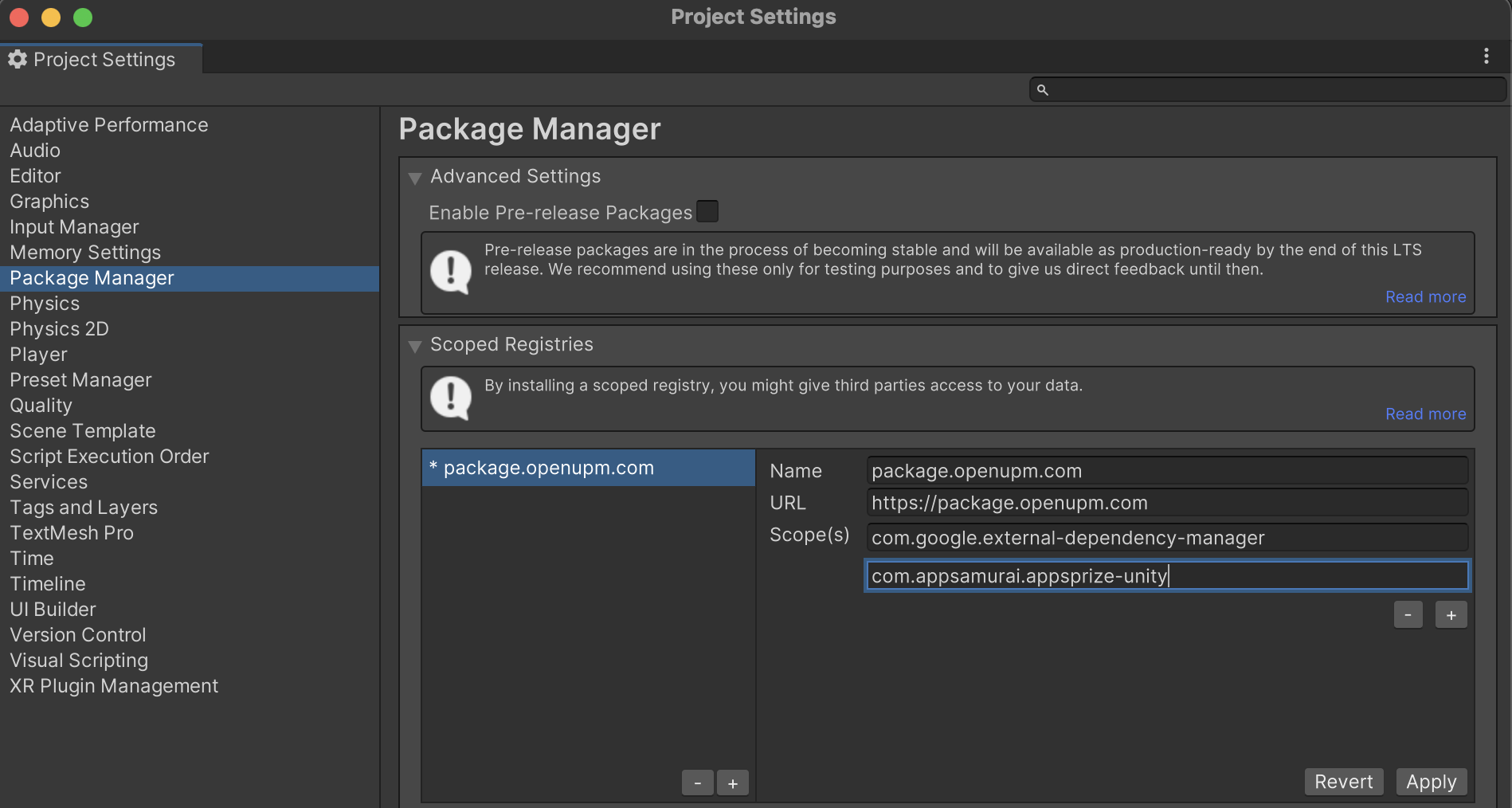
If you do not have the OpenUPM client available, you can add both registries manually instead, through Project settings then Package manager, following the steps here.
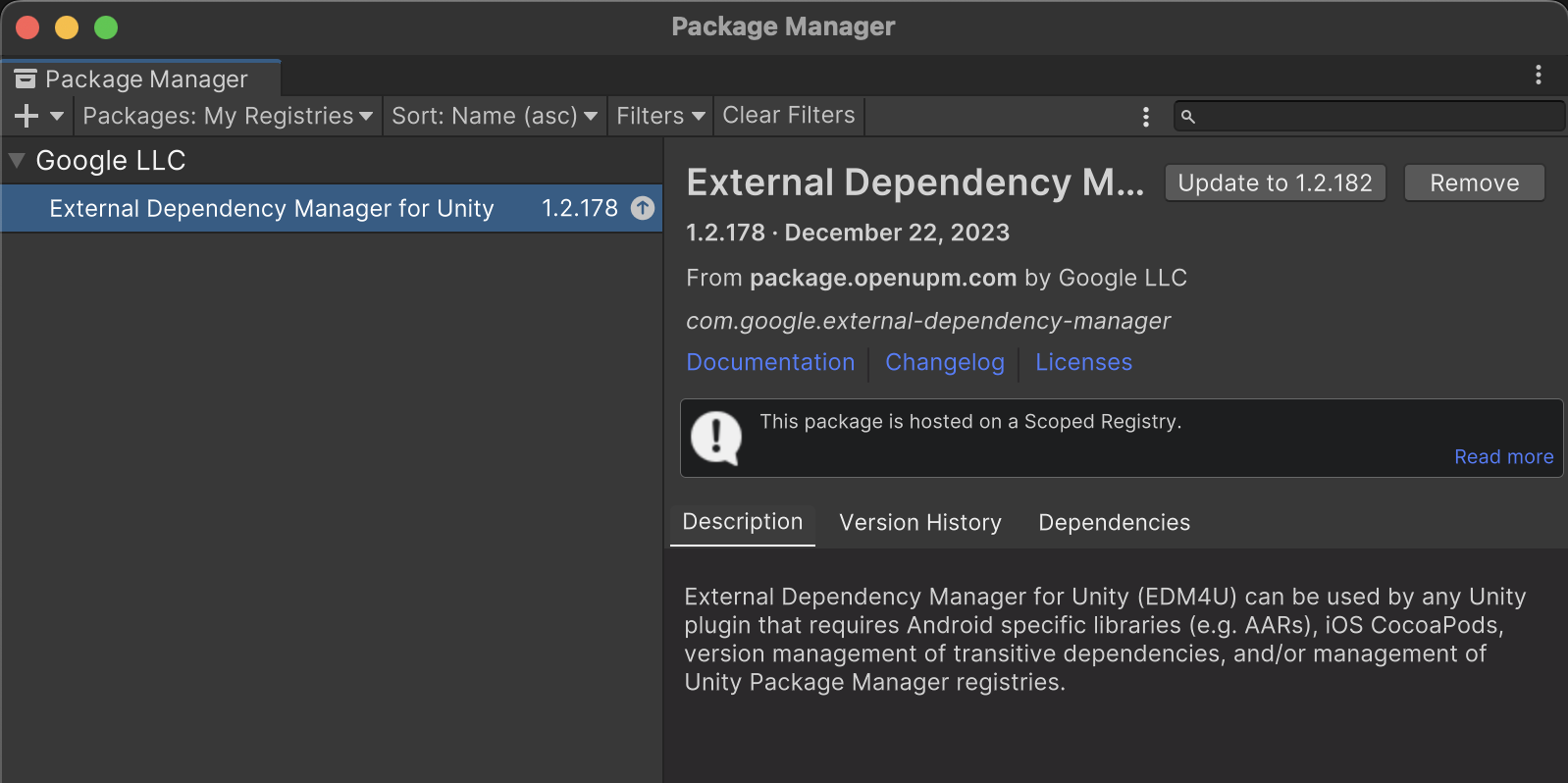
Next, download "External Dependency Manager for Unity" and the AppsPrize Unity packages from the Package Manager.
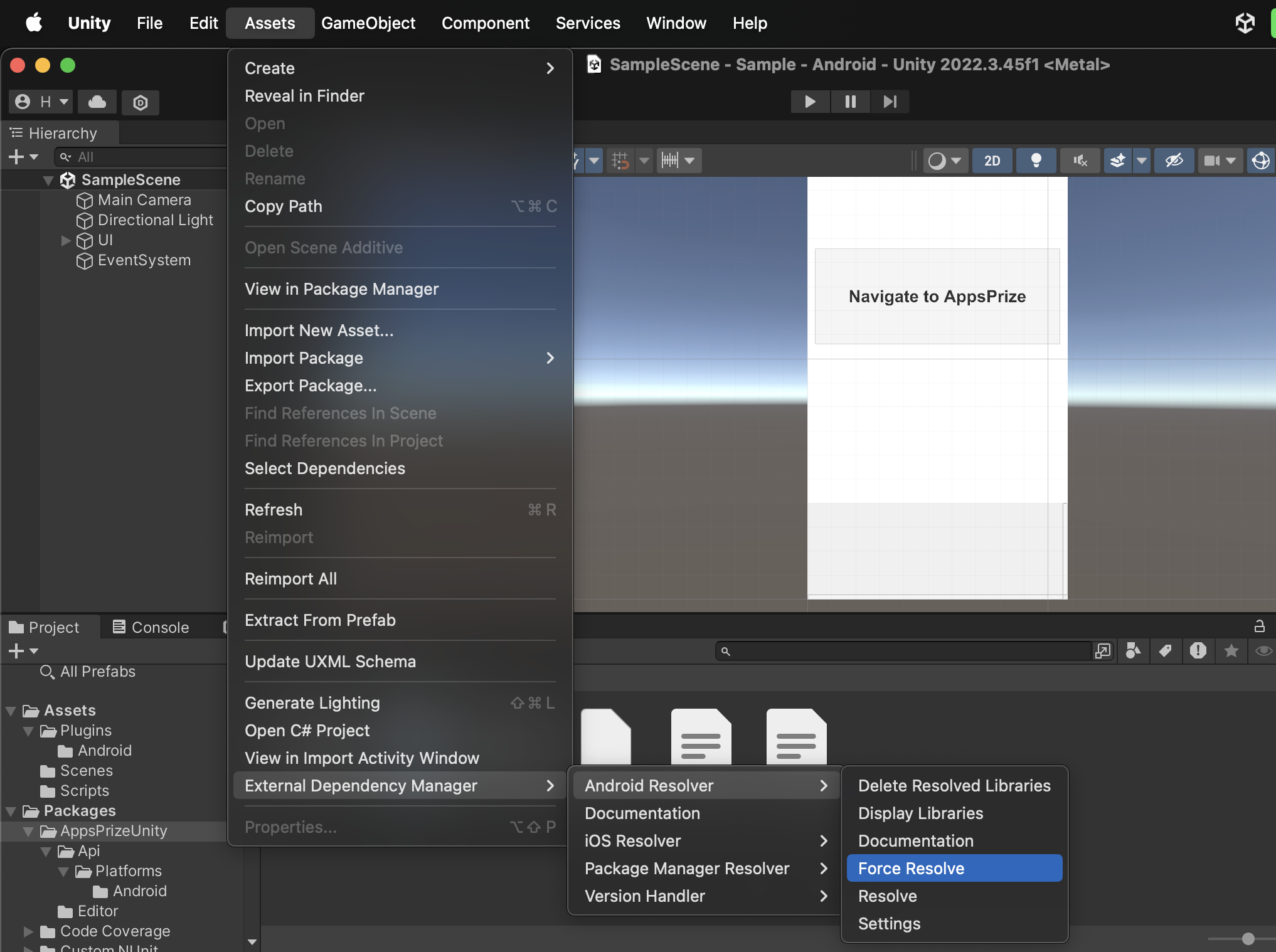
For the final installation step, resolve the Android dependency using the External Dependency Manager, as shown below:
AppsPrize SDK targets Android API level 23 (Android 6.0, Marshmallow) or higher.
Please note that you need to add Java 1.8 compatibility configuration as well. In your app's module Gradle file (usually app/build.gradle), please add the following instructions:
android {
    compileOptions {
        // You should add these two lines
        sourceCompatibility JavaVersion.VERSION_1_8
        targetCompatibility JavaVersion.VERSION_1_8
    }
}
Importing
Import the SDK's functionality by adding this to the import section of any file where you need AppsPrize:
using AppsPrizeUnity;Next step
With the SDK installed, move on to initialization.