

According to Google, an average user has about 36 apps installed on their device and uses just 9 of them daily. Only 4% of the apps will be used for over a year. A more usable app with better UX design is high on user engagement. Here are some UX tips for designing better mobile apps.
Usefulness
Simple design is effective if you can implement it right. A user wants to find what s/he is exactly looking for in an app. Therefore, you need to think about usefulness when you design your app. Build your design as think like your user or potential user.
Clear CTA Buttons

CTA stands for call-to-action, and CTA buttons are used for the actions you want your users to take. They need to be clear to be understood by your users. Also, its place is essential as its clearness. Hold your mobile in your hand and determine the area for CTA by reaching quickly by your thumb.
Avoid Long-Scroll
As an app owner, you need to keep screens as short as possible by breaking up tasks into screens. Although long scrolling is a great way to keep users focused while reading long blocks of text, the more users scroll, the more users tend to lose interest or get frustrated.
Font Type & Size
Different fonts and sizes can evoke different emotions while providing easy readability at the same time. It would help if you considered your typeface, font size, and color contrast when designing your app. The wrong font choice can break your design.
Think About Batteries
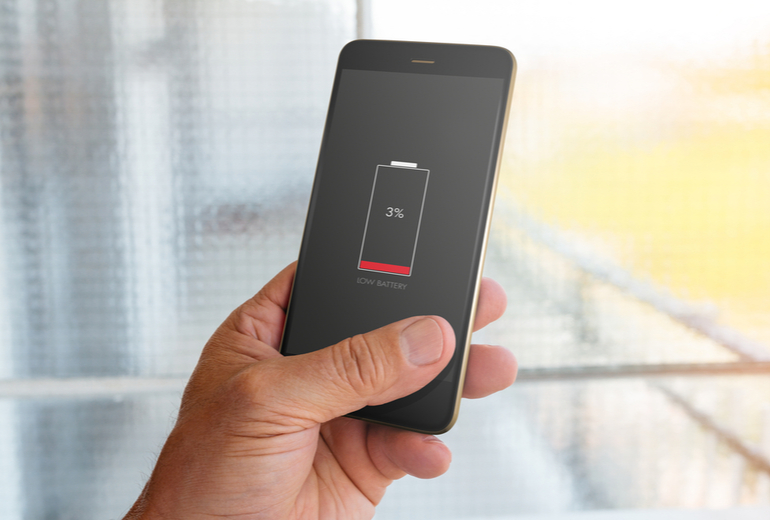
Background services like location detection are high on battery consumption. It would help if you kept your UI simple. Users may stay away from the apps that drain batteries.
Storage Constraints
It would help if you considered that some users might have storage constraints when designing your app. As opposed to the web, a mobile app uses storage right on the mobile device. This impacts mobile UX when using videos, images, and audios that can be used.
To sum up, no matter what considerations you follow or how good your design performs in your eyes, you should always consider usability. Hopefully, these UX tips will improve your mobile app UX design and increase your app’s user retention.
Could not generate text at this time.
Another essential UX tip for designing better mobile apps is prioritizing accessibility and inclusivity. Your app should feel welcoming to all users, regardless of their abilities or limitations. Think about incorporating features like adjustable text sizes, high-contrast modes, and voice navigation options. These small but impactful touches not only make your app more usable but also show that you value every user. Remember, inclusivity isn’t just a nice-to-have—it’s a must-have in today’s digital landscape. A well-designed, accessible app will not only attract a broader audience but also foster loyalty among users who feel seen and supported. After all, a truly great app is one that everyone can enjoy effortlessly.
Optimize for Speed When it comes to mobile apps, speed is not just a luxury—it’s a necessity. Users expect apps to be snappy and responsive, and even a slight delay can lead to frustration or abandonment. Optimize loading times by minimizing heavy assets, compressing images, and streamlining backend processes. A fast app creates a seamless experience that keeps users coming back for more. Remember, every millisecond counts in the mobile world, and nothing beats the joy of an app that feels lightning-fast and smooth. After all, a fast app is a happy app!