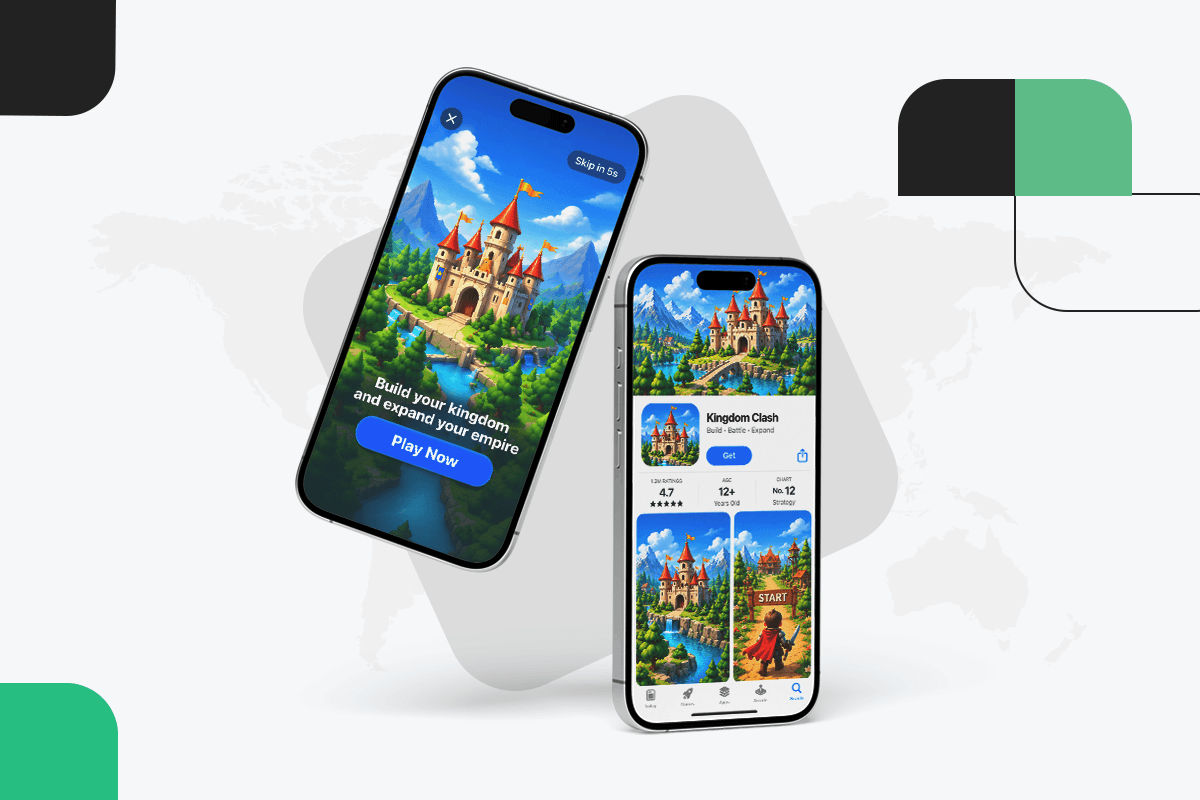
Apple is giving app and game marketers more control over how their products appear across the App Store. Announced at WWDC26, the new Creative Assets introduce additional image and video placements across product pages and search results, while Apple’s new Asset Library gives developers a centralized way to manage these materials. The assets can also support Custom Product Pages, Product Page Optimization, and Apple Ads campaigns.
For mobile game marketers, the change is more significant than another App Store presentation update.
It creates another opportunity to connect the different stages of the acquisition journey: the paid ad, the App Store experience, the install, and eventually the player's value after acquisition.
That means UA teams should not treat Apple's new creative options as an ASO-only responsibility. Instead, gaming studios should consider how paid UA creative and App Store creative can work together, particularly around gameplay positioning, seasonal campaigns, new content, and LiveOps events.
The question is no longer simply how to make an ad generate a click.
It is how to make the entire acquisition journey communicate the same reason to install.
What Apple Changed With Creative Assets
Apple's new Creative Assets give developers additional ways to showcase their apps and games beyond traditional screenshots and app previews.
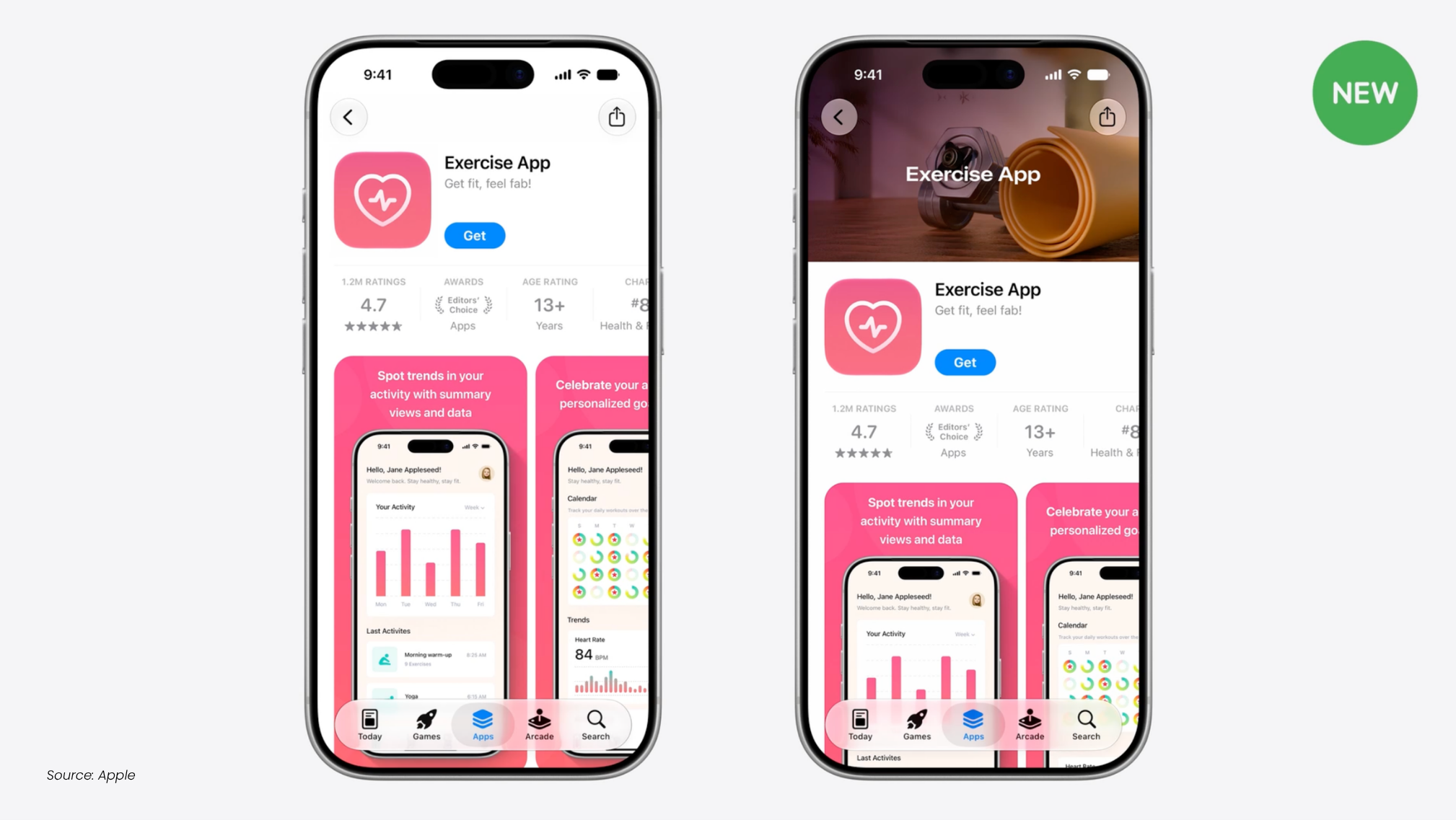
A Product Page Header can use an image or video as the first major visual element on the product page. Search results can also use custom images or videos instead of relying solely on the default screenshots. Apple says these assets can highlight a brand, seasonal offerings, new content, or other aspects of the app experience.
The assets are not limited to one part of the App Store ecosystem.
Apple says they can be used across product pages, search results, Custom Product Pages, Product Page Optimization, and Apple Ads campaigns. Its new Asset Library also allows teams to centrally manage creative assets, screenshots, previews, and other visual materials. Approved assets can be prepared in advance and reused without requiring a new app submission each time they are deployed.
For gaming UA teams, this creates an important shift.
The creative a player encounters before installing a game can now be coordinated more deliberately across acquisition touchpoints.
The App Store Is Becoming Another Part of the Creative Funnel
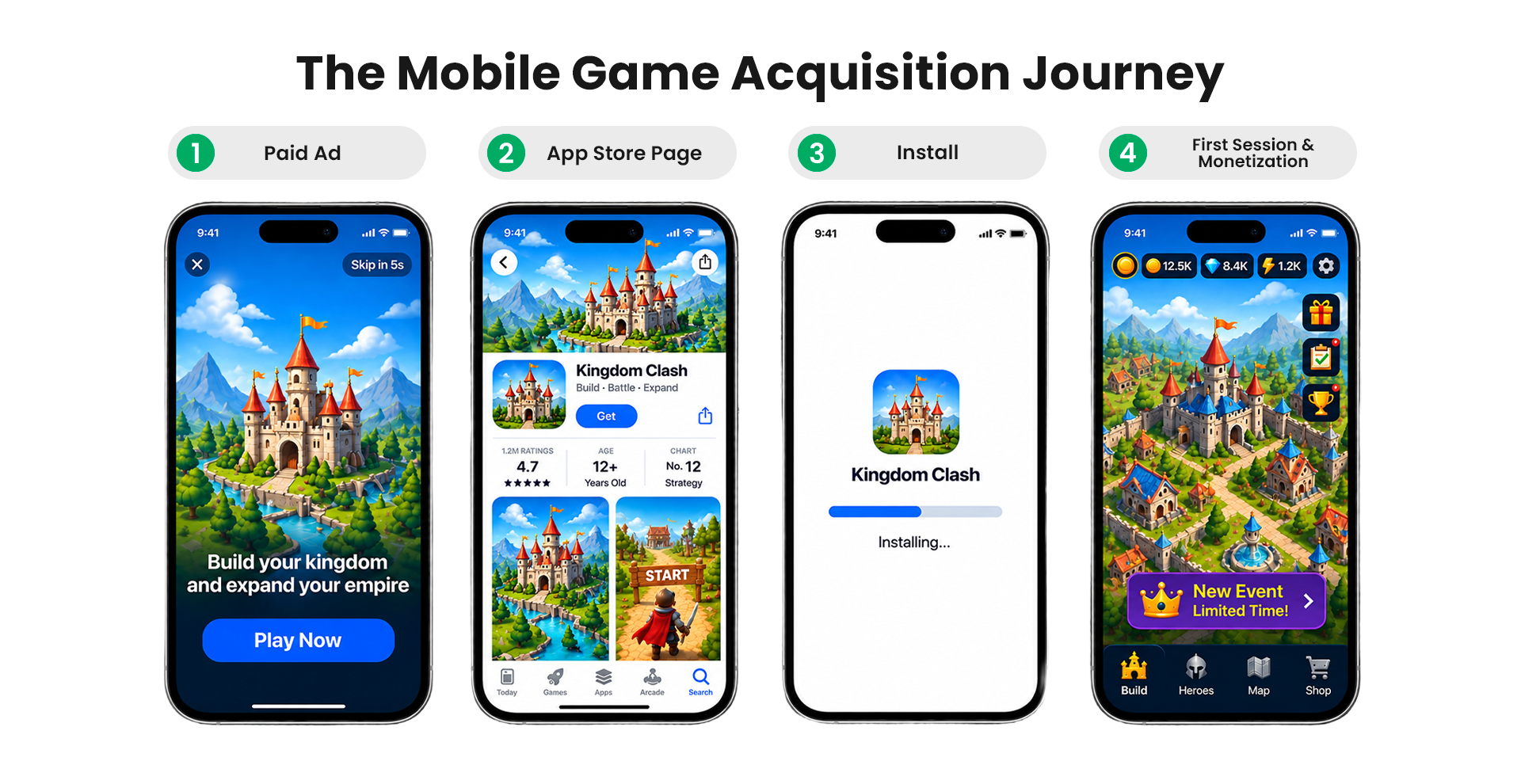
Mobile game UA has traditionally focused heavily on the paid media environment.
Teams test different hooks, gameplay moments, characters, formats, audiences, and messages to determine which combinations generate efficient acquisition. But the paid ad is only one part of the journey.
Consider a simple path:
Ad impression → Ad click → App Store → Install → First session → Monetization
A strong paid creative can win the first step and still fail to produce a valuable user if the following stages do not reinforce the same proposition.
For example, imagine a mobile strategy game running a campaign around a new PvP mode.
The paid ad focuses on competitive gameplay and tells players they can challenge other players.
The user clicks through.
But the App Store experience primarily shows generic screenshots of the game's city-building mechanics.
There is nothing inherently wrong with those screenshots. They may accurately represent the game. But the acquisition experience is no longer telling one coherent story.
Apple's new creative placements give studios more tools to close that gap.
Instead of thinking about paid creative and App Store assets as separate deliverables, UA and ASO teams can begin treating them as connected parts of the same acquisition experience.
Creative Consistency Does Not Mean Using the Same Asset Everywhere
One mistake would be to interpret this change as a reason to simply reuse paid ads on the App Store.
Creative consistency is not creative duplication.
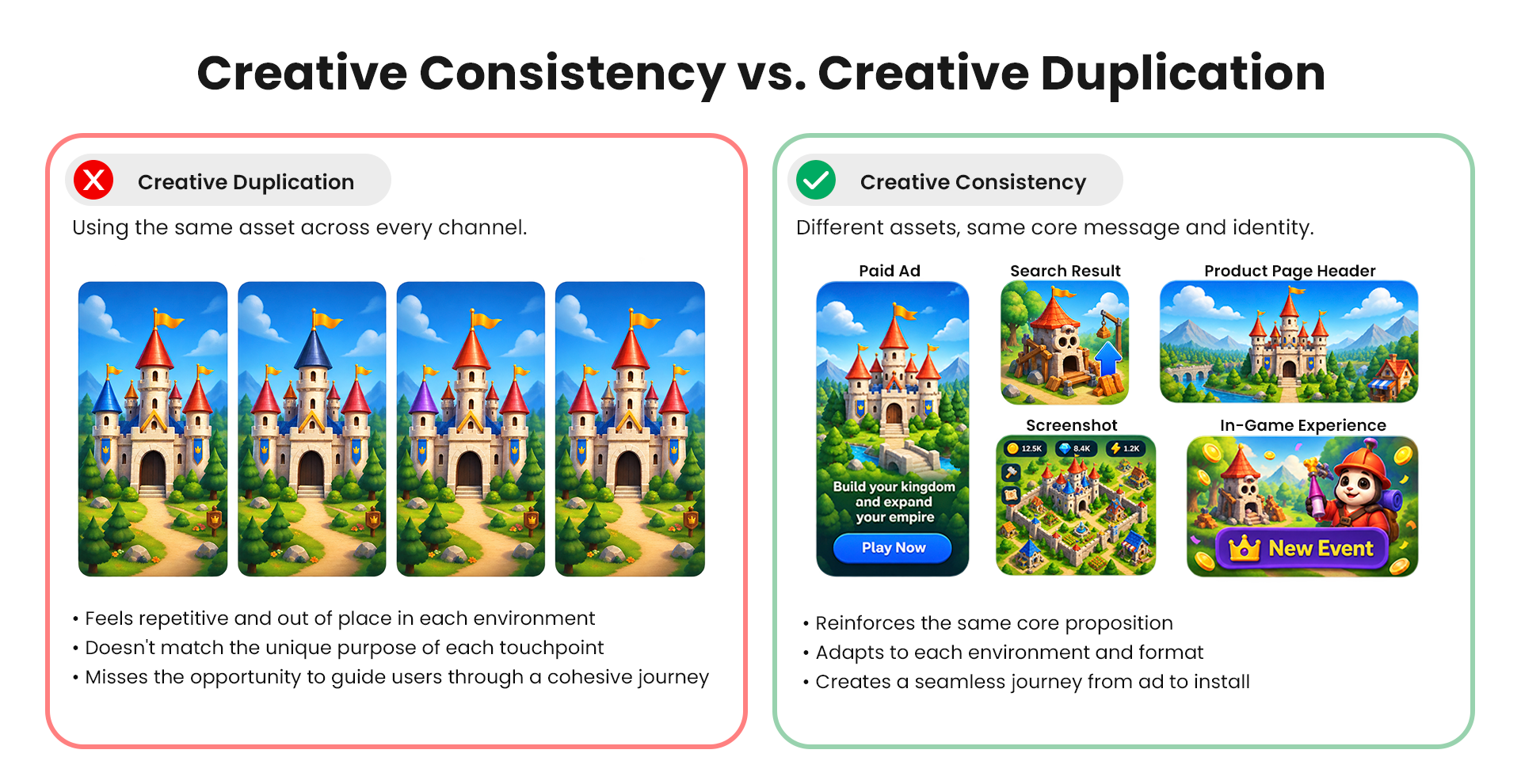
A paid video might be designed to stop the scroll in the first two seconds. A search result asset has a different job. A product page header can establish the game's visual identity. A screenshot can explain a feature. A playable ad can demonstrate the mechanics.
Each asset should be designed for its environment.
What should remain consistent is the underlying proposition.
That can include:
The game's core gameplay promise
The feature being promoted
The visual identity
Key characters or game worlds
Seasonal messaging
A limited-time event
A specific player benefit
The reason the target audience should install
This distinction becomes particularly important for games with frequent content updates.
LiveOps Creates a New Opportunity for Creative Coordination
Mobile games are no longer marketed around a single, permanent proposition.
LiveOps games constantly introduce new reasons to return and new reasons for prospective players to install.
A game might have:
A Halloween event in October
A new character in November
A major collaboration in December
A new game mode in January
A seasonal reward campaign in February
Each of these moments can become an acquisition proposition.
Previously, paid UA teams might update their advertising creative while the App Store experience remained relatively static.
Apple's new Creative Assets make it easier to think about these updates as part of a broader creative system. Apple specifically highlights seasonal offerings and new content as use cases for Creative Assets.
For example, a limited-time event could be supported by:
Paid UA:
"Build your kingdom before the Winter Festival ends."
Search creative:
A visual centered on the Winter Festival.
Product Page Header:
The same event's visual identity, adapted to the App Store format.
Screenshots:
Gameplay showing the event mechanics.
In-game experience:
The player lands directly in the relevant event or content.
The goal is not to make every surface identical.
The goal is to make the user's journey feel intentional.
How Gaming UA Teams Should Change Creative Testing
The biggest opportunity may be in how teams evaluate creative performance.
Traditional creative testing often looks something like this:
Creative A vs. Creative B → CTR → CPI → winner
That is useful, but it can miss what happens after the click.
With more control over the App Store experience, gaming teams should increasingly think about creative combinations rather than individual assets.
For example:
Test
Paid UA creative
App Store positioning
A
Gameplay hook
Gameplay-focused
B
Character hook
Character-focused
C
Event hook
Event-focused
D
Reward hook
Reward-focused
The objective is not necessarily to find the combination with the highest click-through rate.
The objective is to identify the combination that produces the best-quality users at an acceptable acquisition cost.
That means looking at metrics further down the funnel, including:
CTR
Install rate
CPI
App Store conversion rate
Registration rate
D1 and D7 retention
Purchase conversion
ROAS
Long-term player value
A creative with a lower CTR can still be the better acquisition asset if the users it attracts convert, retain, and monetize more effectively.
Use the App Store Experience to Reinforce the Ad Promise
One practical exercise for gaming teams is to audit their existing paid campaigns against their App Store presence.
Take the top-performing UA creatives from the last 30 days and ask:
What does each creative promise?
Then look at the corresponding App Store experience.
Does it reinforce that promise?
If the ad focuses on:
Gameplay
Does the store quickly communicate how the gameplay works?
If the ad focuses on:
A character
Does the character appear prominently in the store experience?
If the ad focuses on:
A limited-time event
Does the store reflect that event?
If the ad focuses on:
Rewards
Does the user understand what they can actually get by installing?
If the answer is no, the problem may not be the ad itself.
There may be a disconnect between acquisition creative and the destination experience.
Build a Creative System, Not a Collection of Assets
Apple's Asset Library also creates an opportunity to rethink how marketing teams organize their creative workflows.
Apple says the Asset Library provides a centralized location for visual assets and allows creative assets to be submitted independently from an app update. It can also support faster updates for seasonal campaigns and other promotional activity.
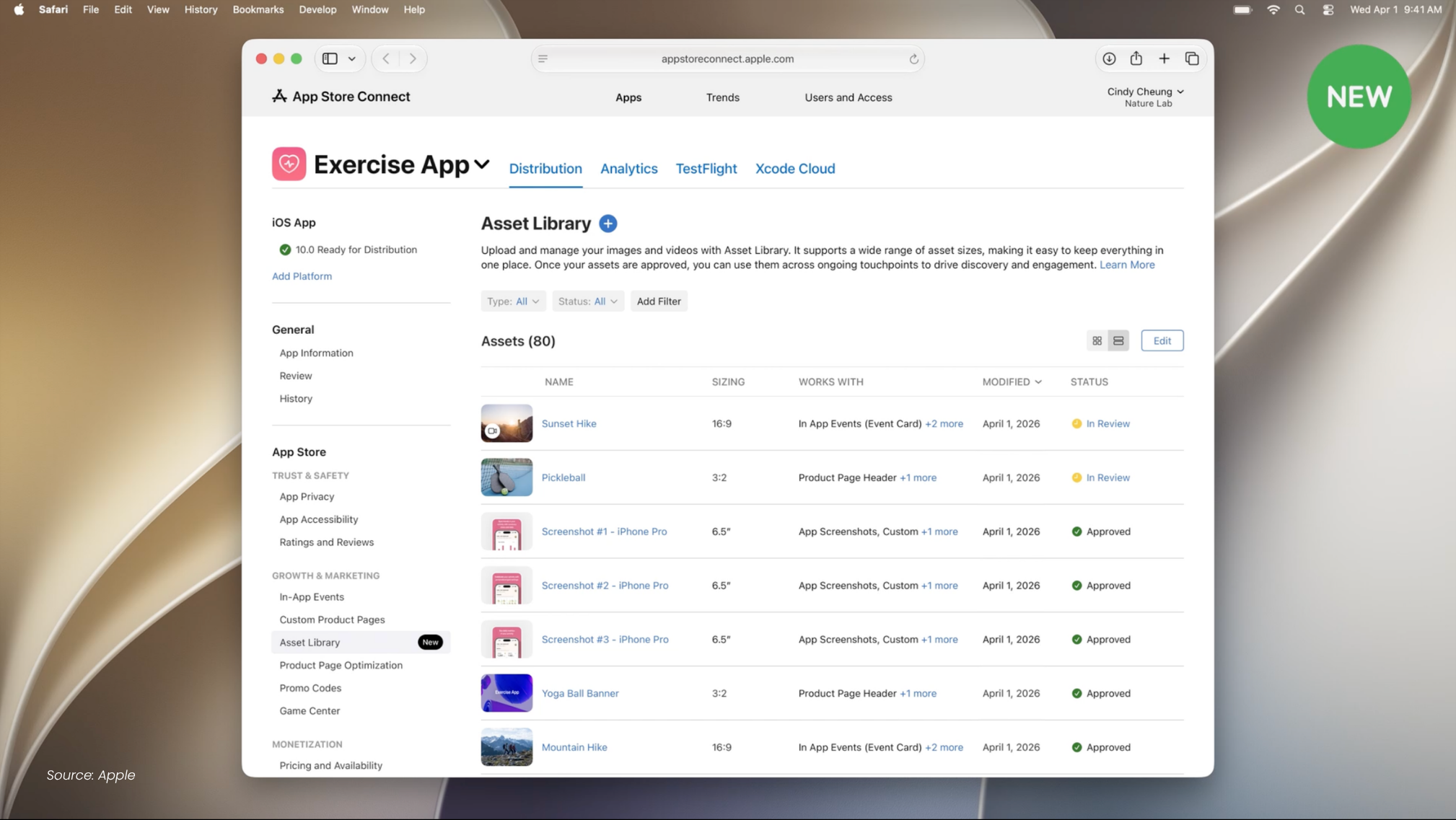
For gaming studios, that makes a structured creative system more practical.
A useful framework can have five layers.
1. Core game proposition
Start with the fundamental reason someone should install the game.
Is it strategic depth? Social competition? Collection? Progression? Creative freedom? Fast sessions?
2. Audience proposition
Translate that core value into a specific player motivation.
A strategy player and a casual player may respond to completely different hooks even when they are being acquired for the same game.
3. Creative format
Adapt the proposition to the environment.
A playable ad, short-form video, static ad, search asset, and product page header each have different creative requirements.
4. Store experience
Make sure the App Store presentation supports the proposition communicated in the ad.
5. Campaign objective
Measure the result according to what the campaign is actually trying to achieve.
A creative designed for high-volume installs should not necessarily be evaluated using the same criteria as a campaign optimized for high-value purchasers.
Apple’s Product Page Optimization Can Add Another Testing Layer
Apple also says its new visual assets can be used with Product Page Optimization, allowing teams to test different visuals and learn which ones resonate with audiences.
For UA teams, this creates an interesting extension to creative testing.
Instead of asking only:
Which ad performs better?
Teams can start asking:
Which ad and store experience combination performs better?
This is particularly useful when different creative concepts appeal to different audiences.
A character-focused campaign might work better with a character-focused store experience.
An event-focused campaign might benefit from an event-led product page.
A gameplay-heavy campaign might perform better when the store immediately demonstrates the same mechanic.
Over time, this can help studios build a stronger understanding of the relationship between creative messaging and acquisition quality.
Measure Beyond CTR and CPI
As the acquisition journey becomes more connected, the metrics used to evaluate creative should become more connected too.
Here are four scenarios worth watching.
High CTR, low App Store conversion
The ad successfully attracts attention, but the store experience may not reinforce the message strongly enough.
Low CTR, strong downstream performance
The creative may appeal to a smaller but more qualified audience.
Strong App Store conversion, weak retention
The creative and store experience may be effective at generating installs, but the proposition may not accurately set expectations for the actual gameplay experience.
Strong ROAS, declining engagement
The campaign is still profitable, but creative fatigue could be approaching.
This is why creative optimization should not end when a user clicks.
A Practical Framework for Gaming UA Teams
As Apple's new Creative Assets roll out, gaming teams can use a simple five-step process.
1. Audit
Review current paid UA creatives alongside App Store pages. Identify gaps in messaging, visuals, gameplay positioning, and seasonal content.
2. Define the proposition
For each campaign, identify the specific reason a player should install.
3. Align the journey
Adapt paid creative, search assets, product page visuals, and screenshots so they reinforce the same proposition without becoming repetitive.
4. Test the full funnel
Measure not only CTR and CPI, but also store conversion, retention, monetization, and ROAS.
5. Refresh around LiveOps
When the game's proposition changes, update the creative system accordingly.
This final step may be the most important for live games.
The acquisition message should evolve as the game evolves.
What Gaming Marketers Should Do Next
Apple's new Creative Assets are not simply another opportunity to make the App Store look better.
They create more room for gaming marketers to coordinate the visual and messaging experience between paid acquisition and the App Store.
For UA teams, the practical response is to start treating the store as another part of the creative funnel.
That means auditing the connection between paid ads and store pages, building creative around specific player propositions, coordinating assets with LiveOps events, and measuring performance beyond the initial click or install.
The studios that benefit most may not be the ones producing the most assets.
They will be the ones building the clearest system between what a player sees, what they expect, where they land, and what happens after they install.
As Apple expands where creative assets can appear across the App Store and Apple Ads, that connection is becoming easier to build.
For mobile game UA teams, it is a reason to bring creative, ASO, LiveOps, and performance marketing closer together, and to start testing the acquisition journey as one connected system.